Your lifting coach, in your log.

Log every set. Coach sets your next load, plans the block and answers from what you actually lifted.

Download app
4.8 on the App Store 3,000+ lifters
Free · No account
Free on the App StoreiPhone & Apple WatchNo account needed

Join the lifters who train with a plan.

Every session has its numbers before you walk in.

Log the set. Coach does the rest.

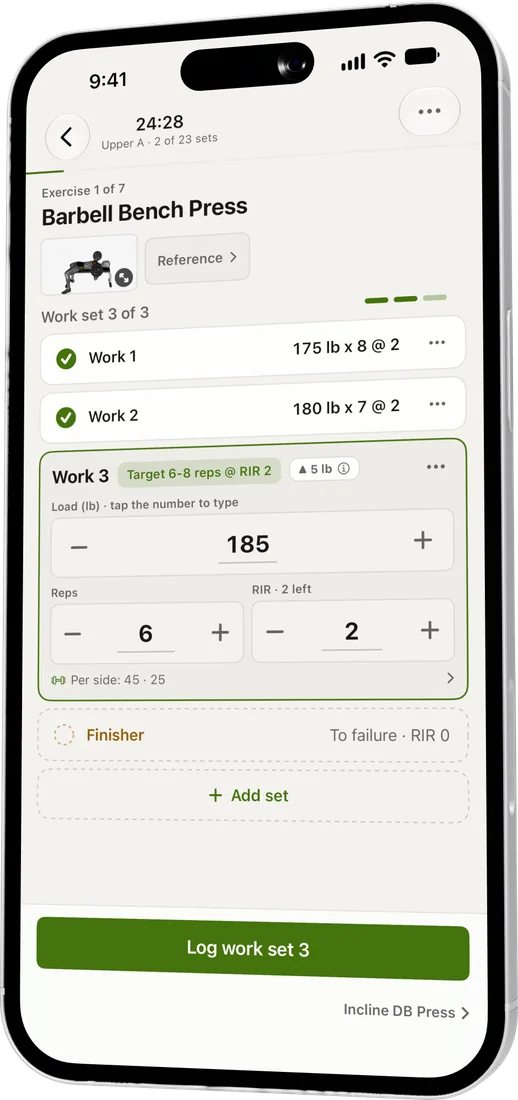
Log

Weight, reps and reps in reserve, prefilled from last time.
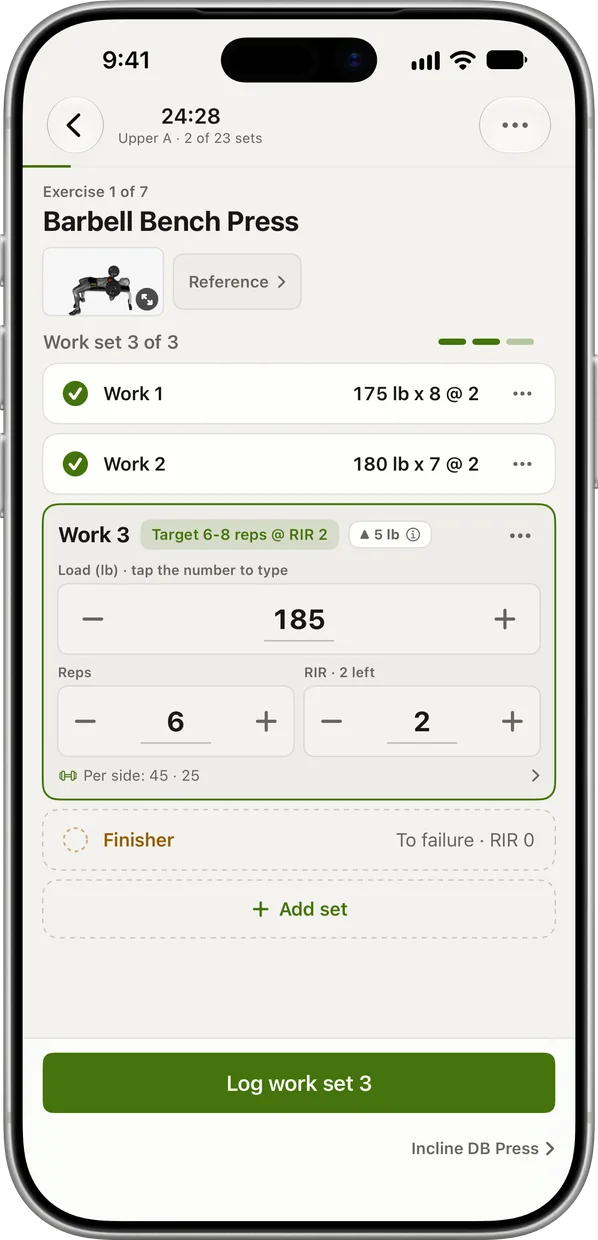
The active workout screen: Barbell Bench Press, two work sets logged, the third prefilled at 185 lb for 6 reps at 2 RIR, and a Log work set button

Coach

Reads your RIR and sets the next load. Every number explains itself.
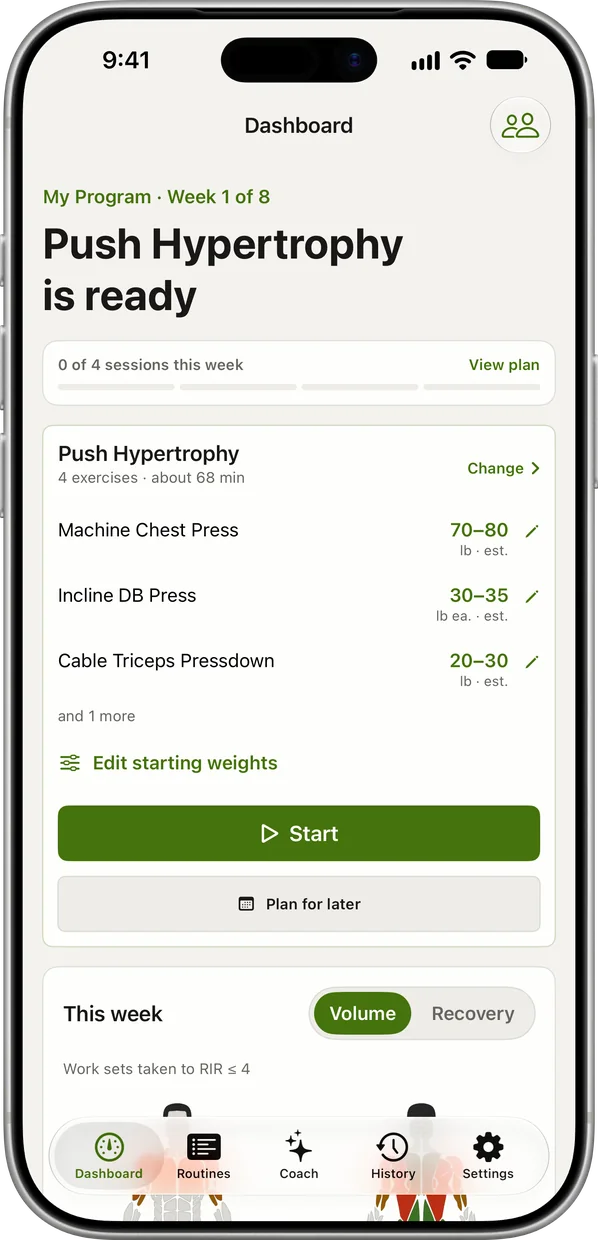
The dashboard before a session: Push Hypertrophy is ready, with Coach's starting load for each exercise and a Start button

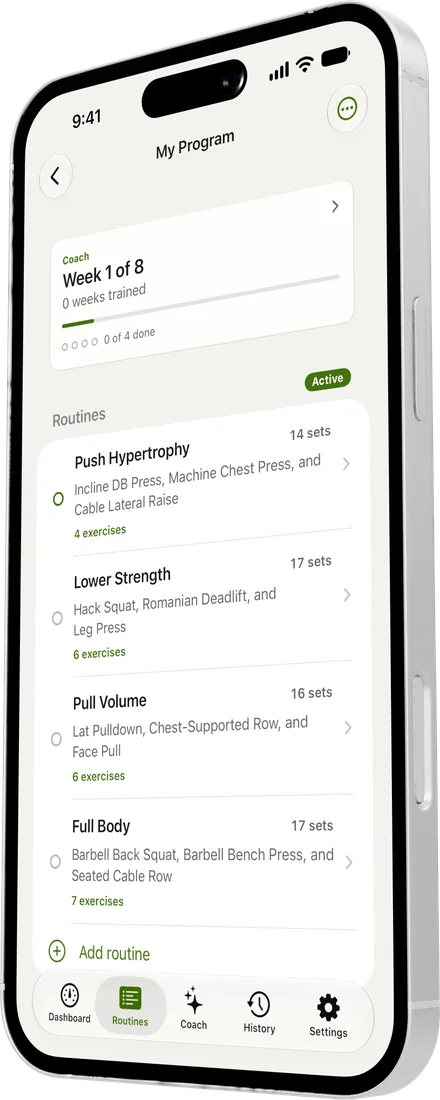
Journey

Give a block a finish line and watch your top lift head for it.
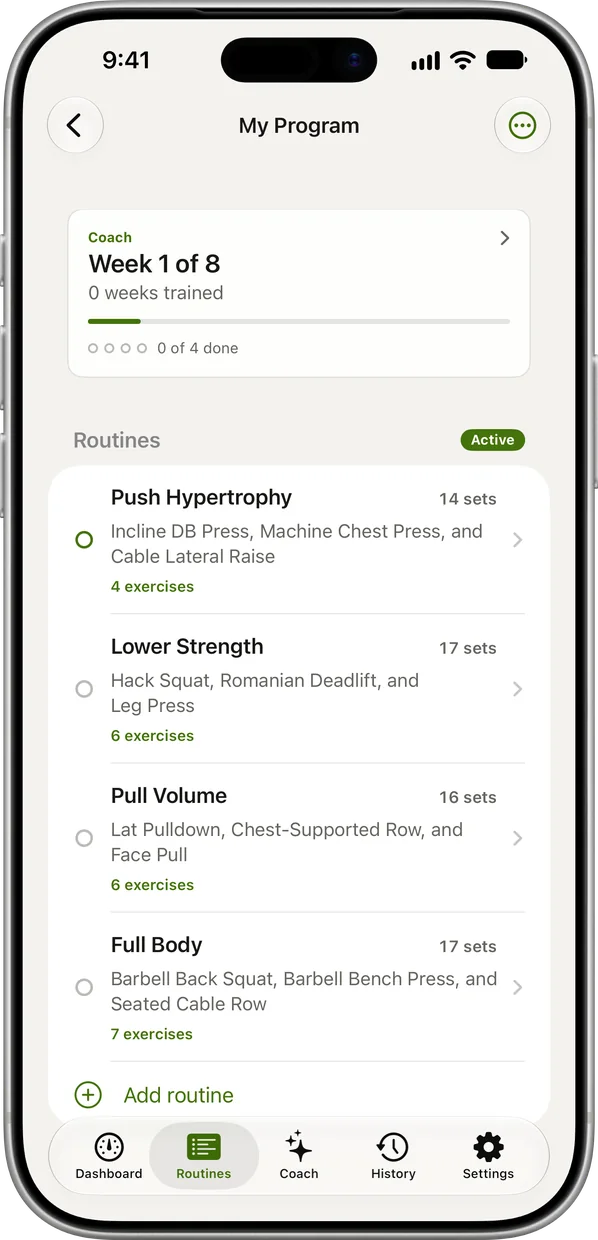
The My Program screen: Coach's block at week 1 of 8, with the four routines that make it up

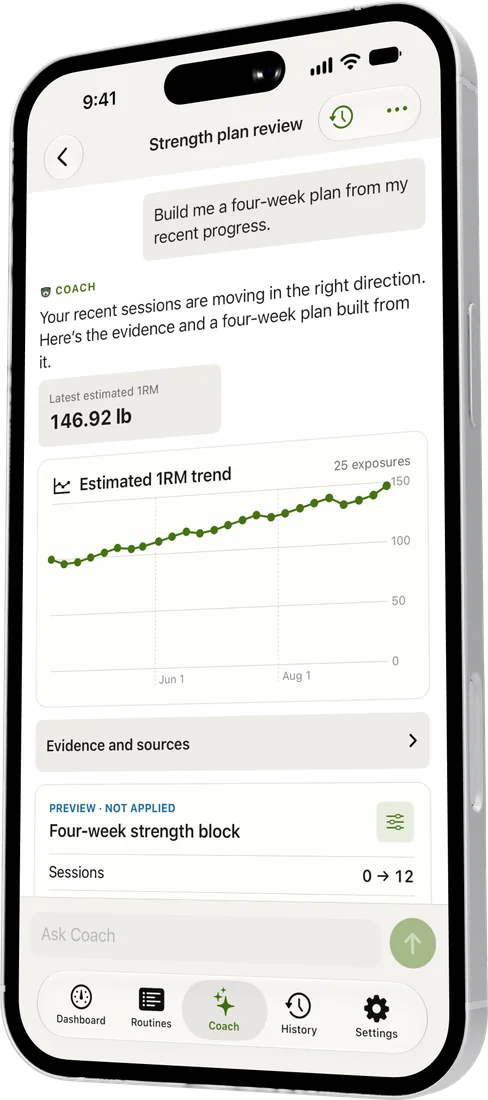
Ask Coach anything.
It answers from your log.

Shorten today. Swap a machine. Fix the program. Nothing changes until you say so.
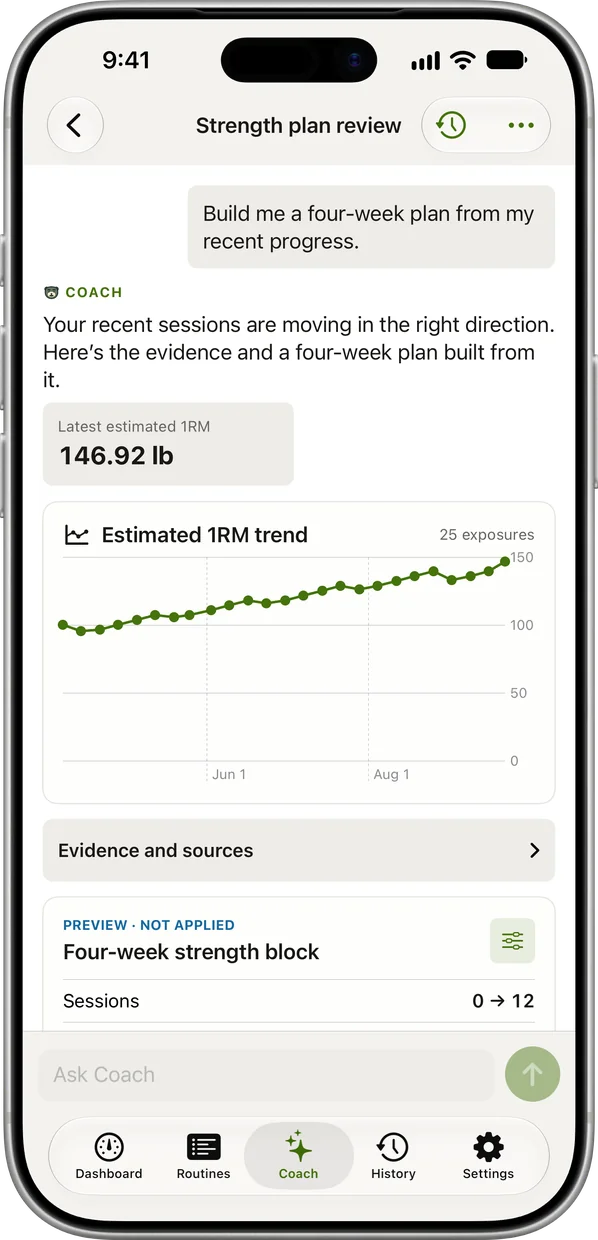
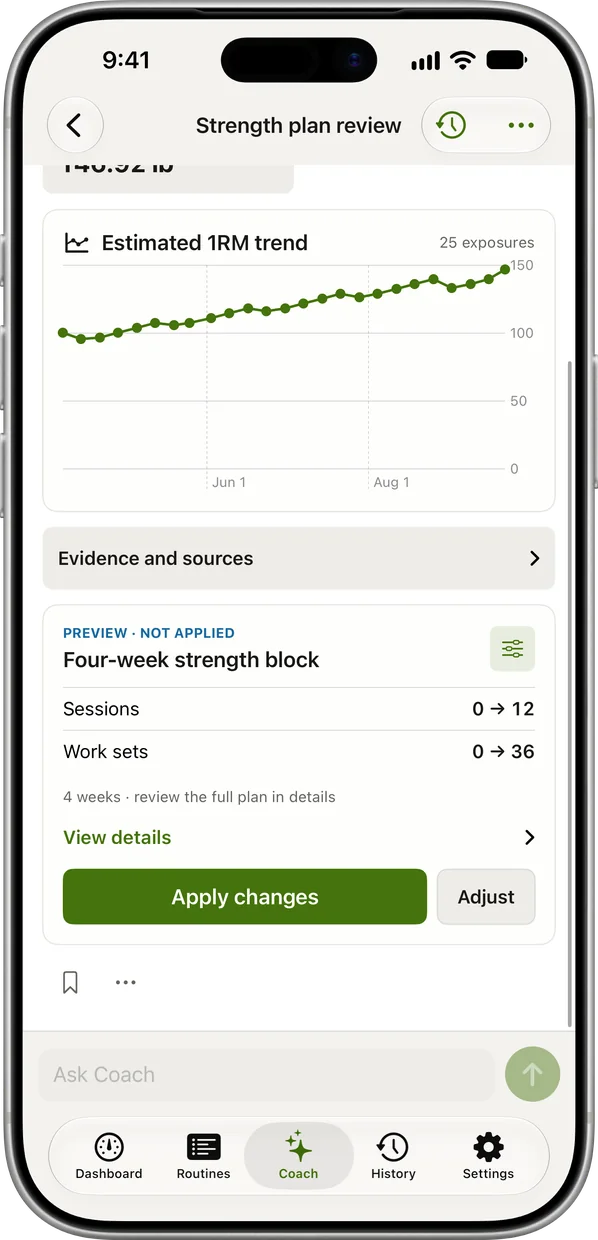
A Coach chat: the lifter asks for a four-week plan from their recent progress and Coach answers with their latest estimated 1RM, the trend behind it and a four-week strength block to review The same chat, scrolled to the proposed four-week strength block: sessions and work sets it adds, its evidence and sources, and an Apply changes button
  • Reads your log
  • Shows its evidence
  • Asks before it acts

Tell it how the set felt.

Tap a number. That's the whole system.

Reps in reserve on the last bench set
Last bench set
185 lb × 6target 2 RIR
Reps left in the tank
Next session
180 lb × 6.

−5 lbYou hit failure. One step back, then rebuild.

185 lb × 6.

HoldA shade hard. Same load, it will feel like 2 next time.

190 lb × 6.

+5 lbRight on target, all three sets. Up one plate.

190 lb × 6.

+5 lbEasy. Still one step at a time; Coach reads the next session first.

195 lb × 6.

+10 lbClearly light. Two steps, and that is the cap.

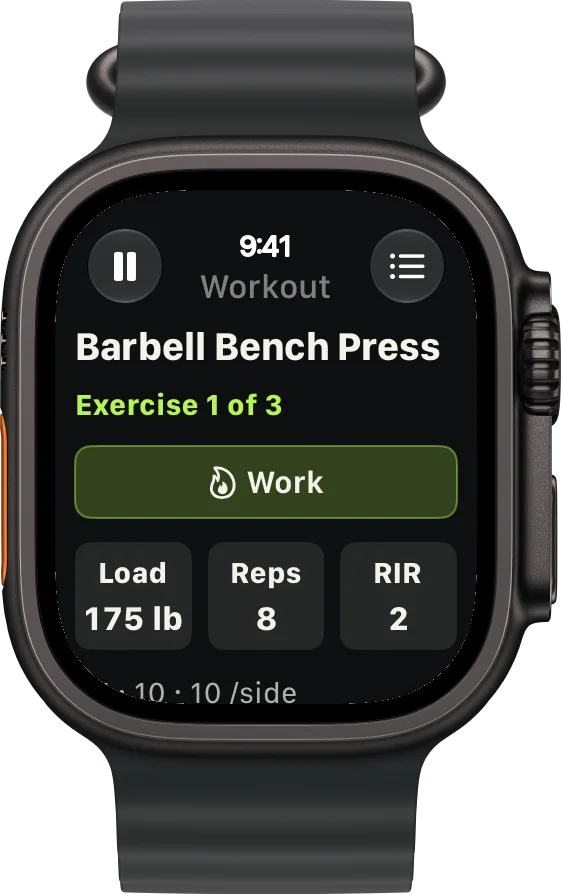
The best lifting app on Apple Watch.

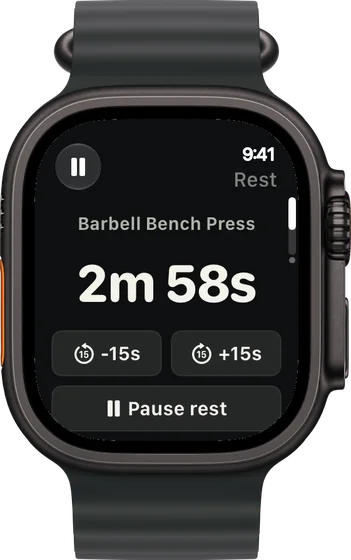
Run the whole session from your wrist. Phone stays in the bag.
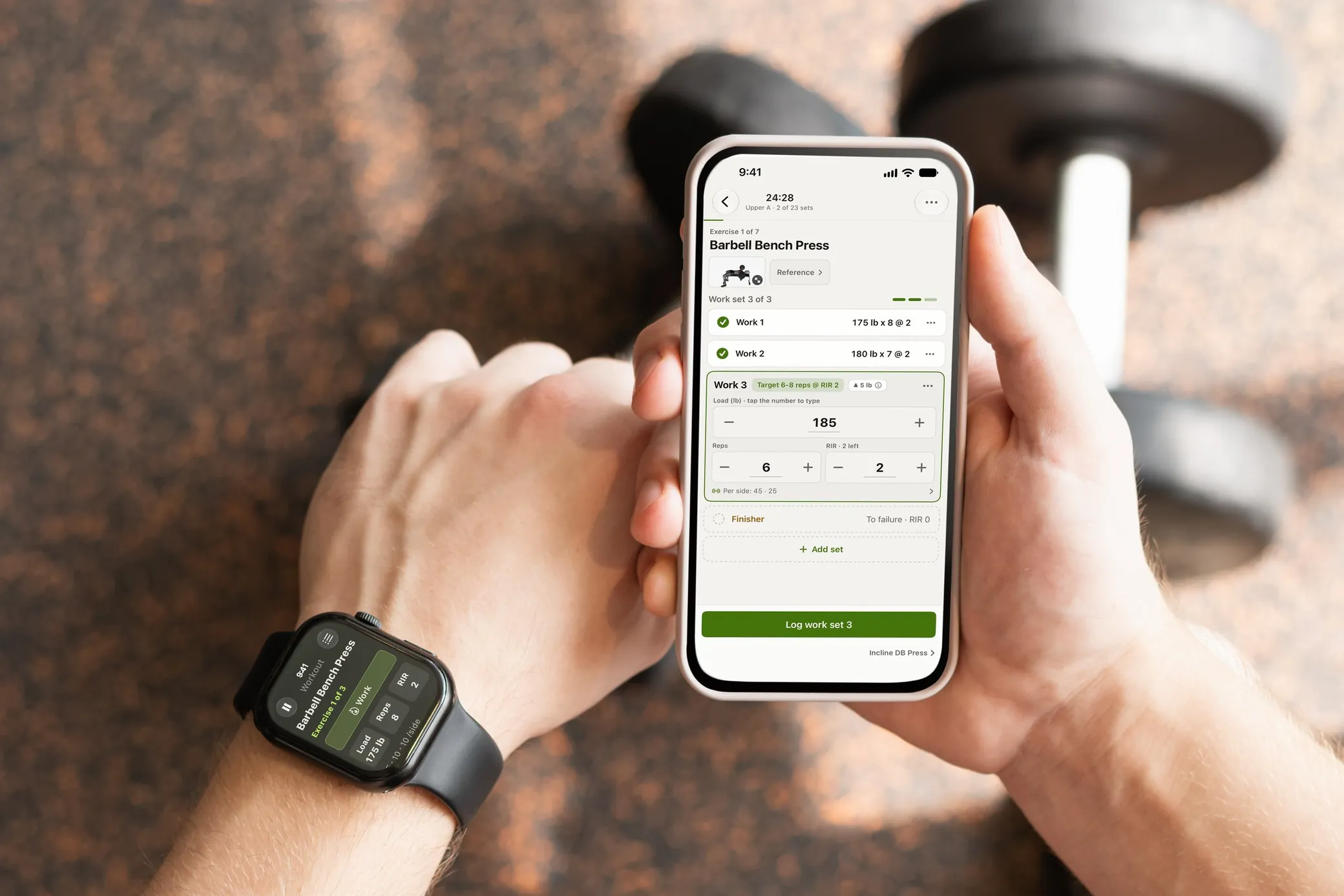
A lifter checks RIRLift on an Apple Watch, the same barbell bench press session open on the wrist and on the iPhone in the other hand and a dumbbell on the gym floor behind

And that's not all.

More of RIRLift
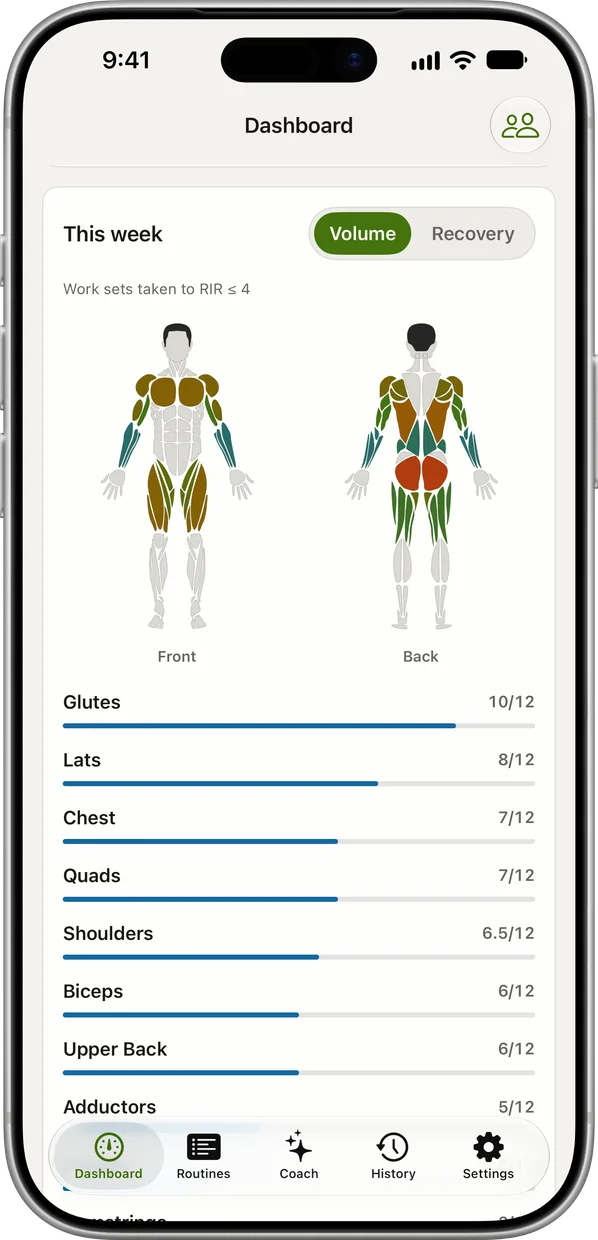
The weekly muscle map: a front and back body shaded by this week's sets, with the set count per muscle beneath
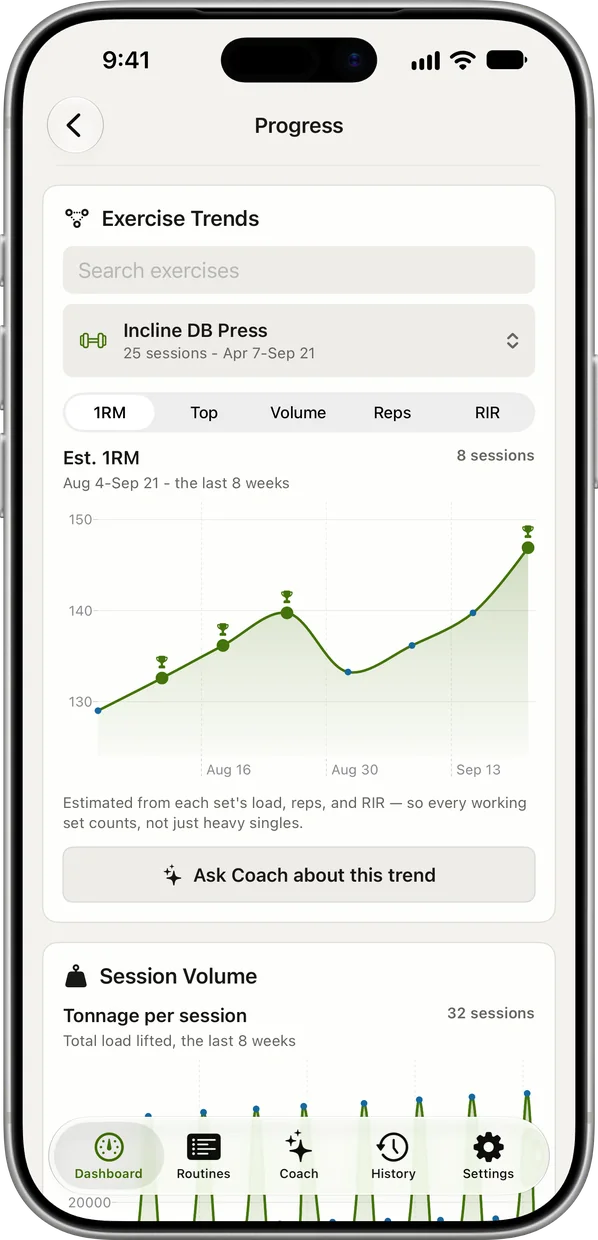
The progress screen: an exercise's estimated 1RM trend charted over the last eight weeks
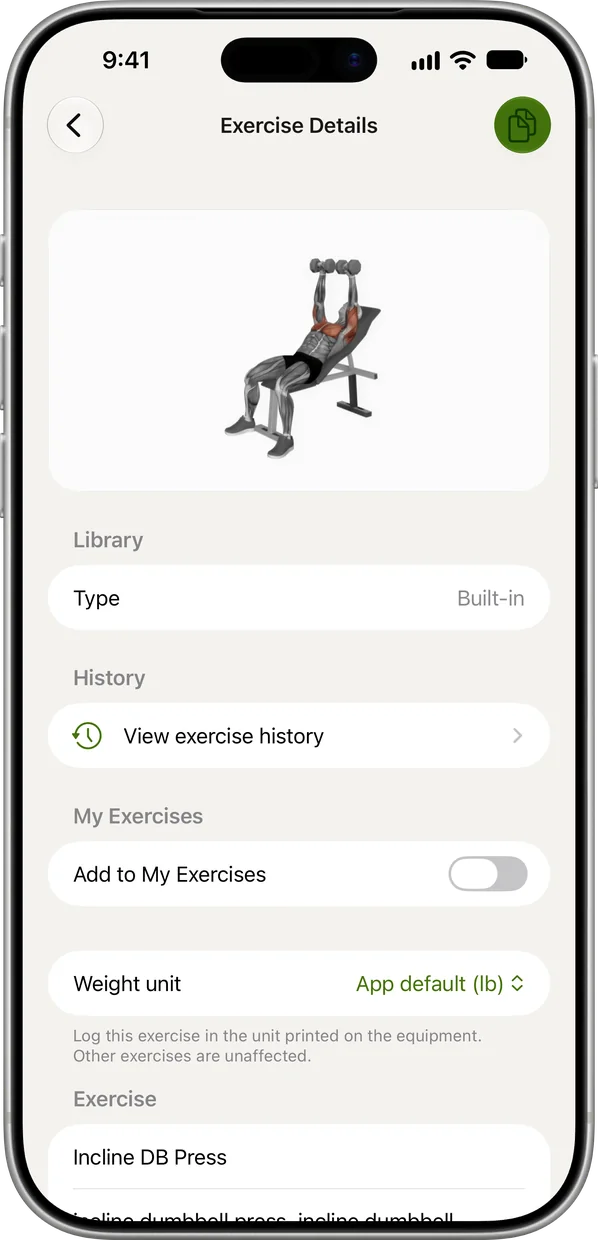
An exercise detail screen: the demonstration illustration, its library entry and its history
iPhone Home Screen widgets: the estimated 1RM trend for Barbell Bench Press and the next session up
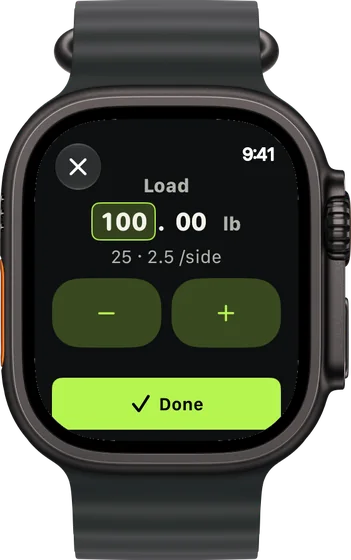
The plate calculator on Apple Watch: 100 lb entered, the plates per side beneath it

Built for real lifters.

4.8 on the App Store 3,000+ lifters
Finally a lifting app that doesn't try to be a social network. Being able to track reps, weight, and RIR straight from my Apple Watch during a set is super smooth.
★★★★★ anna-nickname, App Store
It makes it super easy to track my exercises and progress. My favorite part is being able to see the exact muscles each exercise trains
★★★★★ Michael76a, App Store
Built for real lifters and is so useful for tracking workouts in my Apple Watch
★★★★★ Alop72, App Store

Start free. Go Pro when you want more.

Freeforever
  • Unlimited workouts, iPhone and Apple Watch
  • Coach loads, journey and projection
  • Chat with Coach every week
  • 4 active routines
  • Weekly muscle map and recovery
Download app
Pro$9.99/mo · $79.99/yr (US)
  • Everything in Free
  • Way more Coach conversations
  • Unlimited routines and cycles
  • All-time analytics and muscle map
  • Coach Fine-tune and Journey insights
  • Connect Claude or ChatGPT live
  • Your own plates and bar, CSV export
Get Pro

Questions

Do I need an Apple Watch?

No. RIRLift is a complete iPhone app. The Watch app is there when you want it.

Do I need an account?

No. Download and lift. iCloud and Apple Health sync are optional.

Where is my data?

On your phone. A Coach question sends only the sets it needs, and those copies expire within the day.

I already have a program.

Perfect. Bring it in and Coach sets the loads inside it.

Can I bring my history?

Yes. Import from Hevy, Strong or FitNotes, and Coach reads it from day one.

Guides

Your next session already has its numbers.

Download app
4.8 on the App Store 3,000+ lifters
Free · No account · No ads